ESPA-X Driver: Installation
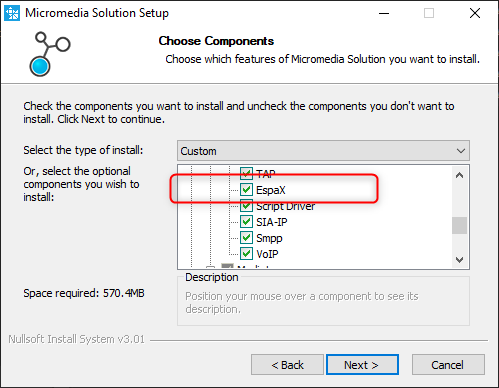
During the ALERT installation process, please select the EspaX component from the list below.
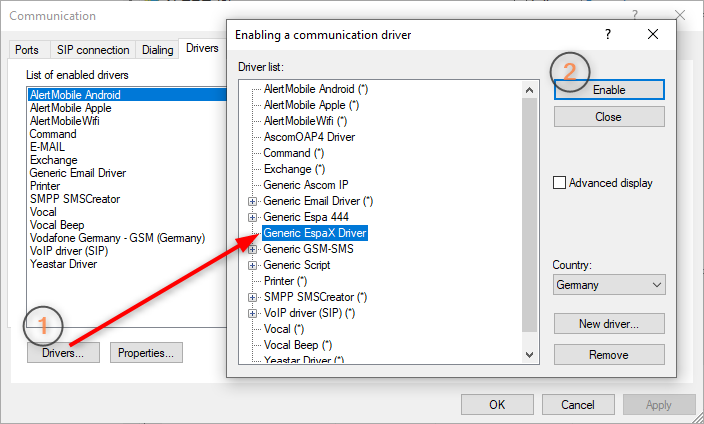
After the successfull installation add the driver (1) and enable it (2)
(ALERT -> Configuration -> Communication -> select tab Drivers)
Excursus: if the driver isn't available, please add it by pressing the Button "New driver..." and select the EspaX.dll
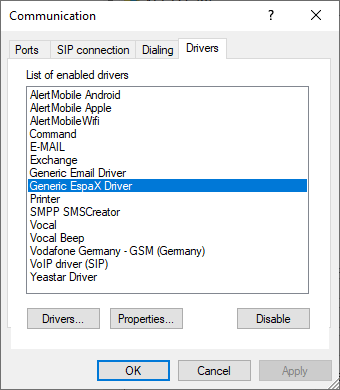
Underneath you will see the Generic EspaX Driver in the Communication dialog box, the ESPA-X driver is now ready to use.