AlertMobile Howto: WIFI Driver
Note: AlertMobileWIFI driver only works with Android phones.
Configuration
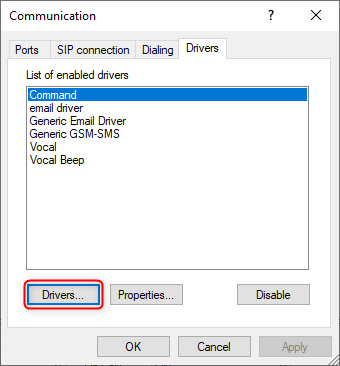
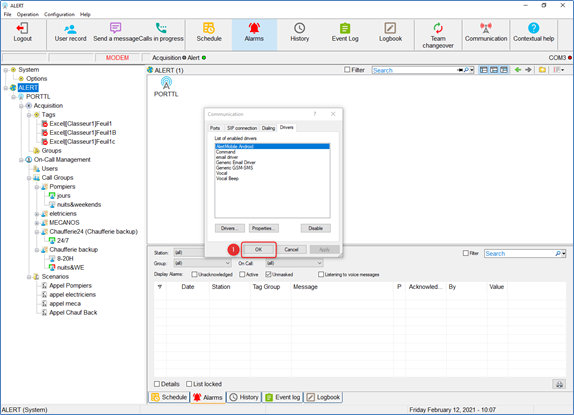
Go to Configuration -> Communication -> Driver tab
If AlertMobile WIFI isn't in the list, click on the "Drivers..." button.
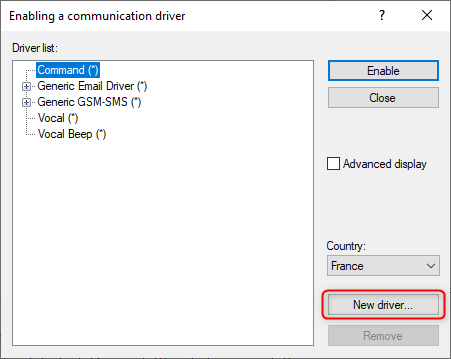
If it is not in the list, add it by clicking on "New driver..."
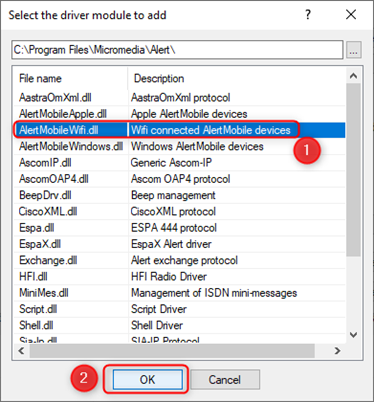
Select "AlertMobileWIFI.dll" and then "OK".
You can then select AlertMobile Wifi from the list and click "Enable".
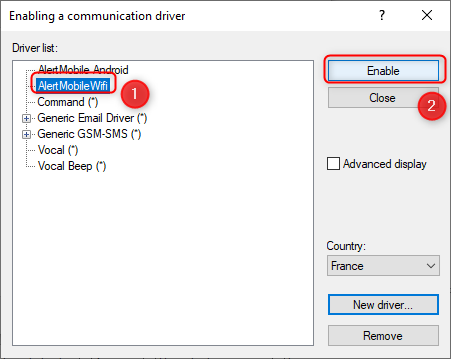
Then click "OK" to save.
For version 3.6, please note that if AlertMobile Wifi does not appear in the list, it may mean that it has not been installed. You will then need to add it from the ALERT installer.